





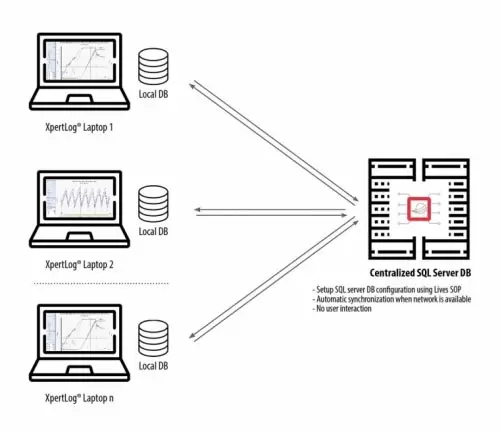
This applies to XpertLog® Software and connected hardware when configured to use a shared SQL database located on a network server where local computers may from time to time need to work without access to the network and hence the main (server) SQL database.
A license is required for the main shared (server) SQL database
The synchronization procedure can be easily setup by the IT department and there is no limit to the number of computers using XpertLog which can be synchronized with the main SQL server database.
Users can start and run a test using XpertLog with or without a network connection. If network connection is unavailable data will be stored in t he local database. When network connection is restored and the shared database is once again available, both local and SQL server databases will be synchronized, including the Audit Trail.
No user interaction is necessary as the process is fully automated.
Members may log on using Active Directory or local accounts regardless if network is available or not. The automatic syncrhonisation is unaffected.